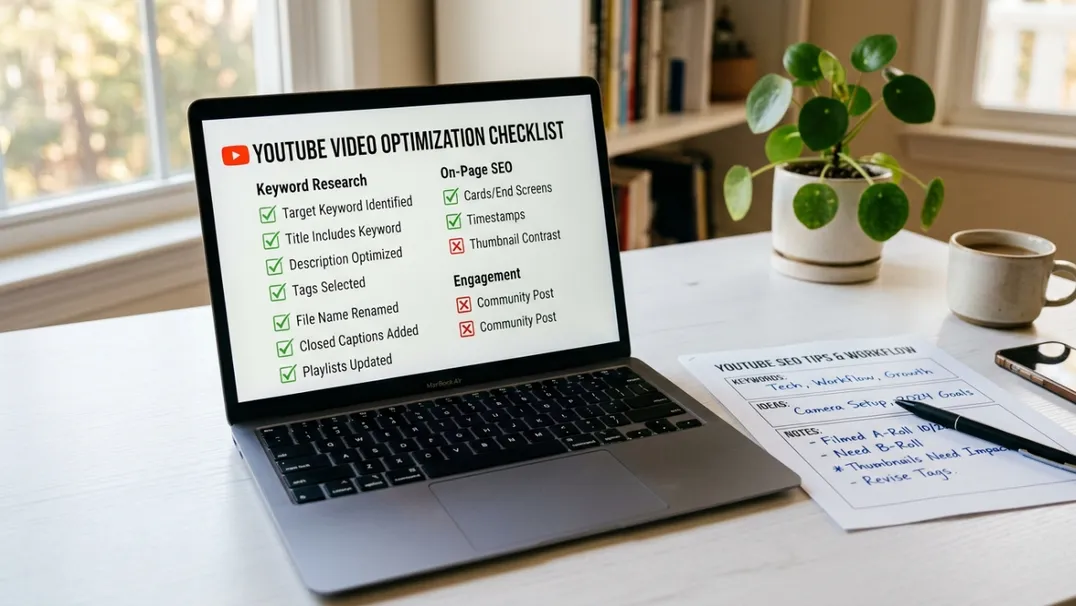
How To Optimize On YouTube With Powerful Tips That Work In 2026
Most YouTube channels in 2026 are not failing because the creators lack talent. They are failing because the creators do not optimize. They upload videos the way they would post on social media: create content, add a title that feels right, and hope the algorithm does the rest. The result is a graveyard of well-intentioned videos with fifty-seven views and zero momentum.
Optimization is the gap between amateur and professional. It is the disciplined, repeatable process of aligning every element of a video (from the first frame to the final end screen) with the signals that YouTube's algorithm uses to decide who gets seen and who gets buried.
This guide is not a collection of hacks. It is a systematic breakdown of how to optimize every layer of a YouTube video and channel in 2026. If you implement even half of what follows, your next thirty videos will outperform your last three hundred.
The Optimization Mindset: Every Element Is a Signal
YouTube does not have a human curator who watches your video and decides whether it is good. It has an algorithm that processes hundreds of signals per video, per viewer, per session. Every element you control (title, thumbnail, description, tags, first 30 seconds, retention curve, end screen, upload time, comment engagement) is a signal that feeds into a prediction model.
That prediction model asks one question: "If I show this video to this viewer, will they watch, engage, and stay on the platform?" If the predicted answer is yes, you get impressions. If the predicted answer is no, you do not.
Optimization is the practice of engineering every signal to maximize the probability of a "yes." It is not manipulation. It is clarity. The algorithm does not punish optimized content. It rewards it because optimized content keeps viewers satisfied.
Layer 1: Pre-Upload Optimization
The optimization process starts before you ever touch a camera or open an editor. It starts with planning.
Topic Selection Through Search Intent Mapping
Before creating anything, identify the exact query your ideal viewer is typing into YouTube. Not a broad topic. A specific question. "How to budget" is a topic. "How to budget on a freelancer income under $3,000 a month" is a query with intent.
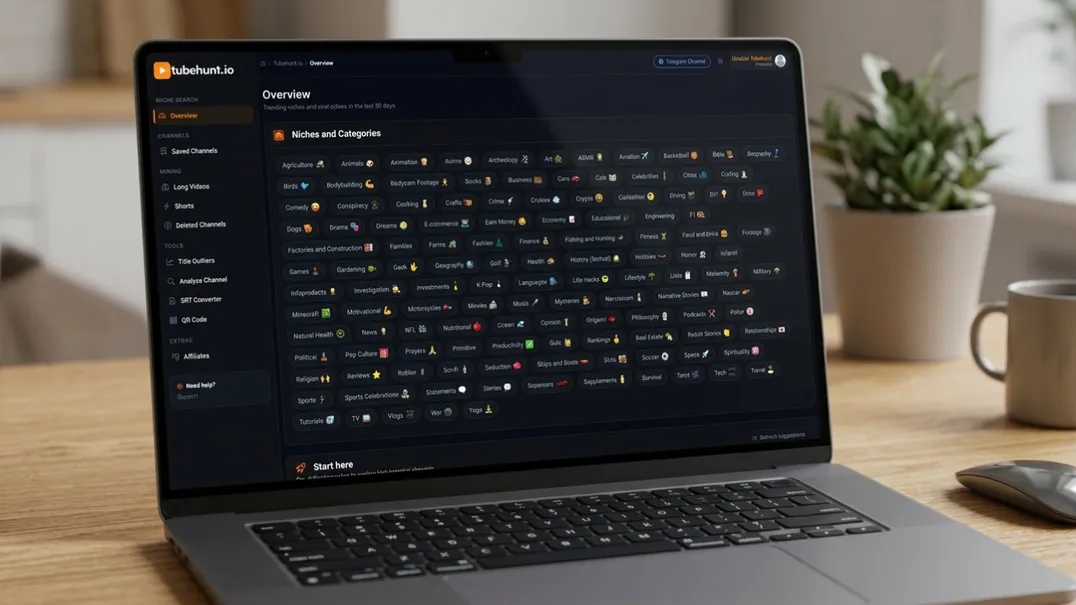
Use TubeHunt to map high-intent, low-competition queries in your niche. The tool shows you what people are actually searching for, which channels currently rank for those terms, and whether there is a content gap you can fill. Do not create until you have validated that the search intent exists and is monetizable.
Competitor Video Deconstruction
For any target keyword, watch the top five ranking videos. Not casually. Analytically. Ask:
- How long are they?
- What is the exact title structure?
- What do their thumbnails emphasize?
- How do they open? What hook do they use in the first 10 seconds?
- Where do viewers drop off? (Check the retention graph if the video is public)
- What do the top comments praise or complain about?
Your goal is not to copy. It is to identify the weakness in the current top results and build a video that closes that gap. If every ranking video is 20 minutes long and loses 60% of viewers at minute 4, there is an opening for a tighter, more focused 10-minute video with better pacing.
Keyword-Aligned Script Architecture
Your target keyword should appear naturally in the first 60 seconds of spoken audio. YouTube transcribes and indexes spoken content. If your video is about "YouTube automation tools for beginners" and you never say that phrase out loud, you are leaving search equity on the table.
Beyond the primary keyword, identify 3-5 related terms that appear in the "People also search for" section or in the top-ranking video descriptions. Weave those into your script at natural transition points. This builds topical authority without keyword stuffing.
Layer 2: Thumbnail and Title Optimization
The thumbnail and title are not packaging. They are the first test the algorithm runs. If your thumbnail does not earn clicks from impressions, the algorithm stops showing it. No amount of content quality inside the video matters if nobody clicks.
Title Engineering: The 5-Second Promise
Your title must make a promise that the viewer can evaluate in under five seconds. Not a clever pun. Not an inside joke. A clear, specific, outcome-driven statement.
Weak title: "My Thoughts on Budgeting"
Strong title: "How I Cut My Monthly Expenses by 40% Using 3 Free Apps"
The strong title has three elements that the weak title lacks: a specific outcome (cut expenses by 40%), a specific method (3 free apps), and a time-bound or quantifiable result. These elements answer the viewer's subconscious cost-benefit analysis before they even click.
Title formulas that consistently outperform in 2026:
- "How to [achieve specific outcome] in [timeframe]"
- "[Number] [topic] That [specific benefit]"
- "The [adjective] Guide to [topic] in [year]"
- "[Controversial or surprising claim]: Here is the Data"
- "Stop [common mistake]. Do This Instead."
Thumbnail Design: Visual Hierarchy That Converts
Thumbnails compete in a grid of 4-6 options on mobile, where most YouTube viewing happens. The winning thumbnail is the one that communicates its value proposition fastest.
Rules for 2026 thumbnails:
- One focal image: The eye should land on one dominant visual element within 0.5 seconds
- Maximum 3 words: Any more becomes unreadable on mobile. The words should reinforce the title promise, not repeat it
- High contrast: Dark backgrounds with bright text, or bright backgrounds with dark text. Mid-tone thumbnails disappear in the feed
- Emotional expression or reaction: Even in faceless channels, a human face with a clear emotion outperforms abstract graphics by 20-40% in CTR. If you do not show your face, use a clear reaction image or bold expression graphic
- No clutter: Every element that does not directly support the click decision is noise. Remove it
Use TubeHunt to analyze which thumbnail styles in your exact niche are currently generating the highest CTR. The data often reveals counterintuitive winners, simple thumbnails with bold numbers outperform complex compositions in finance niches, while emotional reaction thumbnails dominate in commentary.
Layer 3: Video Content Optimization
Once the viewer clicks, the optimization job is only beginning. Now you must keep them watching.
The Hook: First 30 Seconds
The first 30 seconds determine whether the viewer stays or leaves. If your retention graph shows a cliff at 0:15, your hook is broken. Fix it before worrying about anything else.
Effective hooks in 2026:
- The direct promise: "In the next 12 minutes, you will learn the exact automation workflow that took my channel from zero to 50,000 subscribers in 8 months."
- The surprising fact: "The average faceless channel that reaches monetization has 127 videos. Here is why that number matters, and how to beat it."
- The pattern interrupt: Start with a visually unexpected frame, a bold text overlay, or a direct challenge to a common belief
- The story opening: "Three months ago, I was making $12 a month from my channel. Today, it pays my rent. Here is exactly what changed."
Avoid at all costs: logo animations, generic welcomes, "what is up guys" monologues, slow pans, or any content that delays the delivery of the promised value.
The Body: Value Density and Pacing
Value density is the amount of useful information delivered per minute of video. Most unsuccessful channels have low value density, they repeat themselves, add filler anecdotes, or explain concepts the viewer already knows.
To increase value density:
- Write a detailed script before recording. Do not improvise unless you are an exceptional live speaker
- Edit out every sentence that does not advance the viewer's understanding or engagement
- Use visual aids (text overlays, graphics, screen recordings) to reinforce verbal points. Dual-channel communication (visual + audio) increases retention by 30-50%
- Add pattern interrupts every 90-120 seconds to reset attention
The Close: Engineered Retention to the End
The final 60 seconds are your highest-leverage real estate. Viewers who make it to the end are your most engaged audience. They are the ones who subscribe, click end screens, and watch your next video.
End every video with:
- A summary of the key takeaway, reinforced visually with a text overlay
- A direct call to action: "Subscribe if you want the next video in this series, which drops Tuesday"
- A teaser for the next video, with a specific promise of what it will cover
- An end screen with one dominant, clearly relevant next video, not three random options
Layer 4: Metadata and Upload Optimization
The work does not end when the video is edited. The upload phase is where many creators lose rankings they should have earned.
Description Engineering
Your description is not a summary. It is an SEO asset and a conversion tool. Structure it in three blocks:
Block 1 (first 2 lines, visible before "show more"): Restate the video's core promise and include the primary keyword naturally. This is what viewers see before expanding, and what search engines index most heavily.
Example: "This video breaks down the exact YouTube automation workflow that took my faceless channel from zero to monetization in 6 months. No shortcuts. Just systems."
Block 2 (middle section): Timestamps with keyword-rich chapter titles. Not just "Introduction" and "Conclusion." Use searchable phrases: "Setting Up Your Automation Pipeline" and "Finding Low-Competition Niches in 2026."
Block 3 (final section): Links to related videos, social profiles, affiliate disclosures, and a brief channel description. Include 3-5 relevant tags that include your primary keyword and close variations.
Tag Strategy
Tags in 2026 are less important than they used to be, but they still matter for related-video suggestions and misspelled search queries. Use 5-8 tags: your primary keyword, 2-3 close variations, 1-2 broader category terms, and 1-2 specific sub-topic terms.
Example for a video about YouTube automation:
- youtube automation
- faceless youtube channel
- youtube automation tools
- how to automate youtube
- youtube business
- content automation 2026
Upload Timing and Scheduling
Upload when your audience is most active. In YouTube Studio, Analytics → Audience → When your viewers are on YouTube shows your peak hours. For most channels, weekday evenings between 5 PM and 8 PM in the primary time zone remain optimal.
If you are targeting multiple time zones, schedule for the zone where the majority of your audience lives. A channel with 60% of viewers in Brazil should optimize for BRT, not EST.
Layer 5: Post-Upload Optimization and Iteration
Optimization does not stop when the video goes live. The first 48 hours are critical for algorithmic evaluation, and the first 2 weeks are where you gather the data that informs your next video.
The 48-Hour Response Window
In the first 48 hours after upload, the algorithm is testing your video with small impression samples. Your job is to maximize engagement signals during this window:
- Pin a comment with a question that invites discussion
- Share the video in relevant communities, forums, or email lists where your target audience congregates
- If you have a Shorts strategy, post a related Short that drives traffic to the new long-form video
- Respond to every comment in the first 24 hours. Comment velocity is a positive signal
The 2-Week Review Cycle
After two weeks, pull the analytics and ask specific questions:
- What was the CTR from impressions? If below 5%, the thumbnail or title needs revision
- Where did retention drop? That timestamp is your weakness for next time
- Which search terms brought traffic? If unexpected terms are performing, build more content around them
- What percentage of traffic came from suggested videos vs. search vs. browse? This tells you whether your metadata or your content is the stronger driver
Use TubeHunt to compare your video's performance against the top performers in the same niche and keyword cluster. If your CTR is lower than the niche average, your packaging is the problem. If your retention is lower, your content is the problem. Data tells you where to focus.
FAQ
How long should I spend optimizing each video?
For a professional channel, expect to spend 20-30% of total production time on optimization, thumbnail design, title refinement, description engineering, and tag selection. A 10-hour video production should include 2-3 hours of optimization work.
Can I optimize old videos, or only new ones?
Old videos can and should be re-optimized. Update thumbnails, refresh titles with current year references, and revise descriptions. YouTube re-evaluates metadata changes and often redistributes updated videos.
Does optimization matter more than content quality?
They are multiplicative, not additive. Great content with poor optimization gets buried. Poor content with great optimization gets clicks but loses viewers immediately. You need both.
Should I optimize for search or for suggested videos?
Optimize for both. Search optimization requires precise keywords in titles and descriptions. Suggested optimization requires strong metadata alignment with top videos in your niche and high retention that signals viewer satisfaction.
What is the single most important optimization action?
Thumbnail and title synergy. If you only have time for one optimization action, spend it on making your thumbnail and title so compelling that viewers cannot help but click. Without the click, nothing else matters.
Optimize every layer of your channel with TubeHunt, from keyword discovery to competitor analysis to performance tracking.
TubeHunt.io, The AI-powered platform for YouTube Automation.
Related: More guides on our blog · Become an affiliate · Compare TubeBuddy · Compare VidIQ