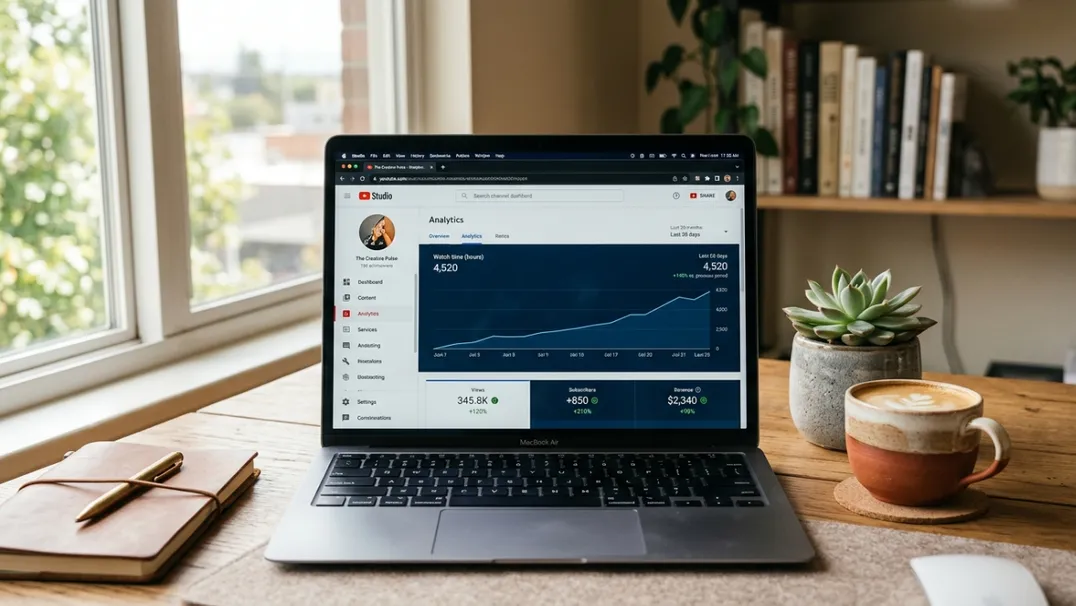
Get More YouTube Watch Hours Fast with This 2026 Strategy
If you are trying to monetize a YouTube channel in 2026, you already know the wall. Four thousand hours of public watch time is the barrier between a hobby and a business. Most creators hit upload after upload and watch the dashboard crawl forward by twenty or thirty hours a week. At that pace, reaching the Partner Program threshold takes two years.
The truth is that watch time is not a mystery. It is a system of inputs (video length, session retention, click-through rate, playlist architecture, and upload timing) that can be engineered. Creators who treat watch time as something they earn passively stay stuck. Creators who build a strategy around it cross the threshold in months, not years.
This guide is a complete operational playbook. It covers how watch time is calculated, what the algorithm actually rewards, and the specific tactics you can implement this week to accelerate your progress toward the 4,000-hour requirement and far beyond it.
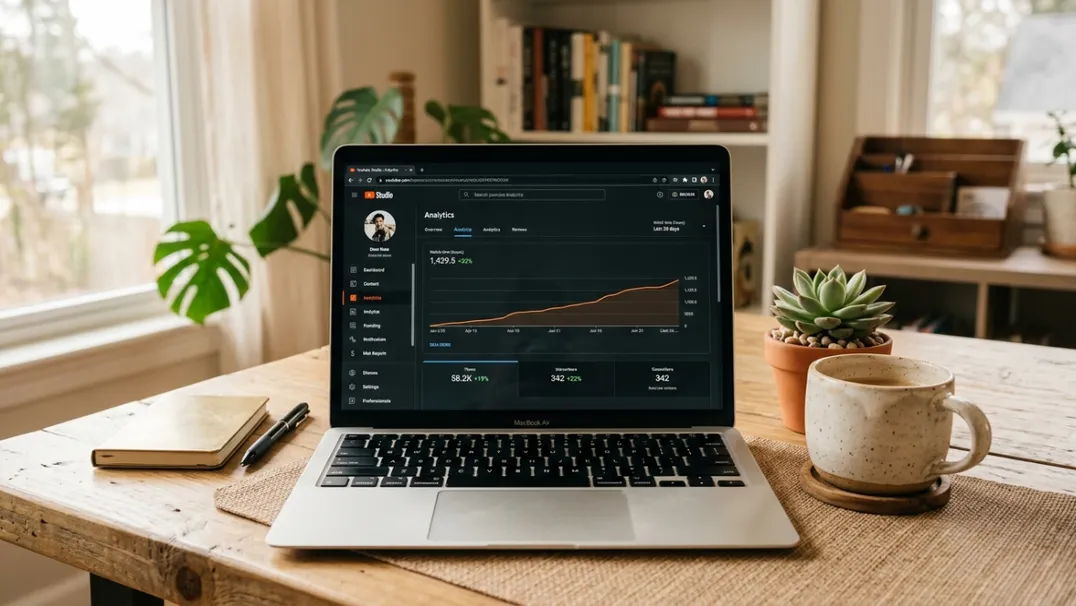
Understanding How YouTube Actually Counts Watch Time
YouTube defines public watch time as the total number of hours viewers spend watching your content across all public videos. This excludes private videos, unlisted videos, deleted videos, Shorts views under certain monetization conditions, and any viewing done by the creator while logged into their own account.
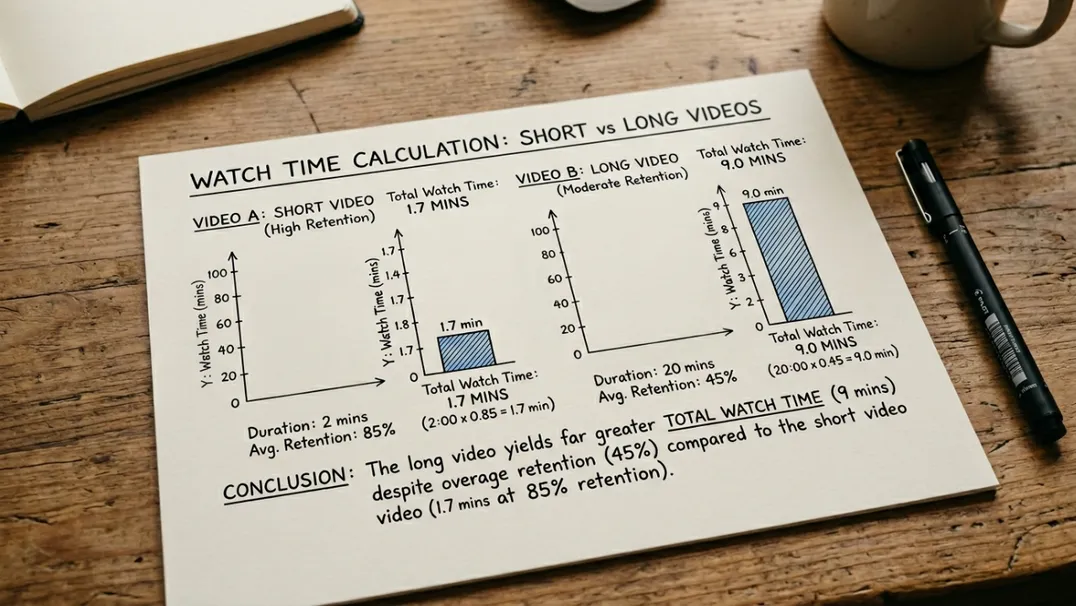
The critical detail most creators miss is that not all watch time is weighted equally. A three-minute video that keeps 70% of viewers watching generates far less absolute watch time than a twenty-minute video that keeps 50%. But the algorithm does not just look at total hours. It looks at watch time per impression, watch time per session start, and whether your content leads viewers to watch more of your videos or leave the platform.
This means that two creators with the same total watch time number can have radically different distribution trajectories. One earns it through short, low-retention clips that never bring viewers back. The other earns it through structured content that builds sessions. The algorithm trusts the second creator more.
The Core Principles of Watch Time Growth
Before diving into tactics, understand the principles that govern watch time. Every strategy below is an application of one or more of these four rules.
Principle 1: Retention Percentage Beats Video Length
A fifteen-minute video with 30% average view duration delivers 4.5 minutes of watch time per viewer. A ten-minute video with 70% average view duration delivers 7 minutes. The shorter video wins because it satisfies the viewer more completely. YouTube interprets higher percentage retention as higher content quality and rewards it with more distribution.
This is why "just make longer videos" is incomplete advice. Long videos only work if they maintain structure, pacing, and value density throughout. A twenty-minute ramble loses viewers at minute four and earns less total watch time than a tightly edited eight-minute video.
Principle 2: The First 60 Seconds Decide Everything
YouTube's algorithm makes a quality assessment within the first sixty seconds. If a significant portion of your audience drops off in the first minute, the video is flagged as low-engagement and distribution is throttled. This happens regardless of how good the rest of the video is.
Your first sixty seconds must do three things simultaneously: promise a specific outcome, establish credibility, and eliminate any reason to click away. No animated logos. No generic welcomes. No asking viewers to subscribe before they have seen any value.
Principle 3: Session Continuity Multiplies Watch Time
If a viewer watches one video and leaves, you earned the watch time of that single video. If a viewer watches one video, clicks a suggested video of yours, then another, then subscribes, the total session watch time is three to five times higher. YouTube rewards channels that create session continuity because those channels keep viewers on the platform longer.
Session continuity is built through playlists, end screens, info cards, verbal references to related videos, and thematic clustering. A channel that publishes randomly across topics never builds continuity. A channel that explores one topic across twelve videos builds an ecosystem.
Principle 4: Consistency Trains Both the Algorithm and the Audience
The algorithm allocates a test budget of impressions to every new video. If that video performs well, the budget increases. If the next video also performs well, the budget compounds. But when a channel goes silent for weeks, the algorithm resets its trust calibration. Consistency does not just keep your current audience watching. It trains the recommendation engine to invest impressions in you.
For watch time accumulation, consistency is more important than perfection. A creator publishing twice a week for a year will have more total watch time than a creator who publishes five videos in one week, goes dormant for a month, then repeats.
12 Tactics to Accelerate Your Watch Time in 2026
These tactics are ordered from the easiest to implement to the most structurally impactful. You do not need all twelve. Start with three, implement them for thirty days, measure the change, then add more.
Tactic 1: Audit Your Retention Graphs Weekly
In YouTube Studio, open Analytics → Engagement. Look at the audience retention graph for every video published in the last ninety days. Identify the timestamp where the largest drop-off occurs. That is your leak.
Common leaks include: introducing the topic too slowly, showing irrelevant B-roll, making a controversial claim that turns off a segment of viewers, or simply running past the natural conclusion point. Fix the leak in your next video. Repeat this process every week. Retention is a compounding asset.
Tactic 2: Front-Load Value, Then Deepen
The most effective structure for watch time is what professional creators call "promise and prove." In the first thirty seconds, you make a specific promise: "By the end of this video, you will understand exactly how the 2026 YouTube algorithm calculates RPM and what levers to pull." Then you spend the rest of the video proving that promise with data, examples, and actionable insight.
This structure works because it answers the viewer's subconscious question "Is this worth my time?" immediately. Once that question is settled, viewers relax into consumption and stay longer.
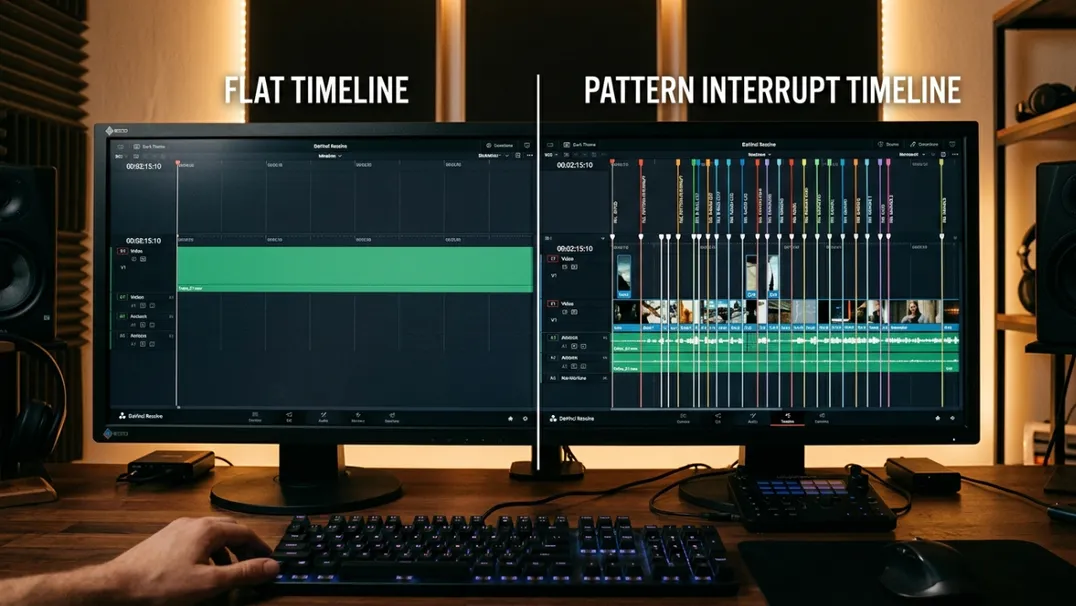
Tactic 3: Use Pattern Interrupts Every 90-120 Seconds
Viewer attention decays predictably. Around the ninety-second mark, most viewers experience a natural attention dip. A pattern interrupt (a change in visual composition, a surprising statistic, a direct question to the audience, a cut to a different scene) resets that clock.
The best pattern interrupts are not gimmicks. They are content shifts. If you have been explaining theory for two minutes, switch to a concrete example. If you have been showing screen recordings, switch to a talking-head summary. If you have been speaking, insert a text overlay that highlights the key takeaway. Each shift gives the viewer's brain a micro-reason to stay.
Tactic 4: Build Topic Series, Not Standalone Videos
Standalone videos compete against every other video on the platform. Series videos compete against the previous episode in the same series. A viewer who enjoyed Part 2 of your automation workflow is far more likely to watch Part 3 than a random new viewer is to discover Part 1.
Series also create appointment viewing. If your audience knows that every Friday you release the next step in a twelve-part system, they return. Returning viewers are the highest-leverage audience segment for watch time because they already trust you and consume longer.
Tactic 5: Design End Screens That Actually Lead to Clicks
Most end screens are decorative. They show three thumbnails and hope the viewer clicks one. But hope is not a strategy.
Effective end screens are designed with intentional asymmetry. One thumbnail is larger than the others. It is positioned where the eye naturally lands. It is a video that directly continues the topic just discussed. And the verbal call to action (delivered in the final twenty seconds) names that video specifically: "If you want the next step in this workflow, the video on screen now breaks down the exact script template I use."
Use TubeHunt to analyze which of your existing videos has the highest session-start rate, then feature that video in your end screen across the entire channel.
Tactic 6: Master the Art of the Verbal Cross-Reference
End screens work for the final twenty seconds. Verbal cross-references work throughout the video. At natural transition points, reference a related video from your archive: "I covered the exact thumbnail template for this niche in last week's upload, I will link it in the pinned comment." This creates curiosity loops that viewers resolve by clicking.
The key is relevance. Cross-references to loosely related content feel like advertising. Cross-references to directly adjacent content feel like service.
Tactic 7: Optimize Video Length for Your Niche
There is no universal ideal video length. But every niche has an expected content density that determines how long viewers are willing to watch. In tutorial and how-to niches, 12-18 minutes is the sweet spot. In entertainment and commentary, 20-30 minutes performs better. In dense analytical niches like finance and business, 15-25 minutes is standard.
Study the top ten videos in your exact niche. Calculate their average length and average retention percentage. Your target should be within 10% of that average length, with a retention percentage that matches or exceeds the niche baseline.
Tactic 8: Use Chapters Strategically, Not Just for Navigation
Most creators add chapters to help viewers skip around. Smart creators use chapters as psychological checkpoints. When a viewer sees that a twelve-minute video is broken into six two-minute sections, the perceived cognitive load drops. The video feels digestible. Viewers who might have clicked away at the five-minute mark stay because they believe the next section will be short and focused.
Chapter titles also serve as secondary metadata. YouTube indexes them for search, and they appear in search results as rich snippets. Well-written chapter titles can increase click-through rate from search by 15-25%.
Tactic 9: Schedule Uploads When Your Audience Is Most Active
Watch time in the first 24 hours heavily influences the algorithm's initial distribution decision. If you upload when your audience is asleep, those early hours are wasted. If you upload when they are active, you earn a burst of engaged watch time that signals quality.
In YouTube Studio, go to Analytics → Audience → When your viewers are on YouTube. Identify the two peak days and the two peak hours. Schedule every upload for those windows. For most niches in 2026, weekday evenings between 5 PM and 8 PM in the primary audience time zone remain the strongest slots.
Tactic 10: Thumbnails That Promise Time Investment Worthy of the Length
A twenty-minute video with a generic thumbnail and a vague title will underperform because the thumbnail does not signal that the content justifies the length. The viewer's subconscious calculation is: "Is this worth twenty minutes?"
Thumbnails for longer videos need stronger visual hierarchy, clearer text hierarchy, and more specific promises. If the video is a deep dive, the thumbnail should say "deep dive" visually. If it is a complete system, the thumbnail should show system components. The more specific your packaging, the more willing viewers are to invest time.
Tactic 11: Privatize, Do Not Delete, Underperformers
Videos with low watch time drag down your channel's average performance metrics. But deleting them removes any accumulated search authority and external backlinks. The correct move is to privatize videos that have been public for more than ninety days and have retention below 30%.
Privatizing removes the video from recommendation algorithms without destroying its search equity. If the video later becomes relevant again (perhaps because a trend returned) you can re-publicize it with updated metadata.
Tactic 12: Leverage YouTube Shorts as a Watch Time Bridge
In 2026, Shorts do not count toward the 4,000-hour monetization threshold in the same way as long-form content, but they serve a critical watch-time function: they introduce new viewers to your channel, and those viewers often convert to long-form consumers.
A Short that teases a full tutorial with a verbal promise of "the complete breakdown is linked below" drives traffic directly to your highest-watch-time videos. The Short earns minimal direct watch time but multiplies your long-form watch time by expanding your funnel. Use TubeHunt to identify which of your long-form videos has the highest retention and feature it as the destination for your Short traffic.
The 90-Day Watch Time Acceleration Plan
If you are starting from under 500 hours of watch time, here is a realistic roadmap:
Days 1-30: Foundation: Audit retention graphs. Implement front-loaded value. Add chapters to every video. Schedule uploads at peak audience times. Target: increase average view duration by 15%.
Days 31-60: Structure: Launch a three-video series. Redesign end screens with intentional asymmetry. Add verbal cross-references to three videos per upload. Privatize bottom 20% performers. Target: increase returning viewer percentage to 30%.
Days 61-90: Scale: Double your best-performing video format. Use pattern interrupts every 90 seconds. Optimize thumbnails for length-specific promises. Launch one Short per week driving to your top long-form video. Target: reach or approach 4,000 hours.
Most channels that follow this plan with discipline hit the Partner Program threshold between day 60 and day 120.
FAQ
Do Shorts count toward the 4,000-hour requirement?
As of 2026, YouTube Shorts views do not count toward the long-form 4,000-hour threshold for the Partner Program. You need 4,000 hours on public long-form videos or 10 million Shorts views within 90 days to qualify via the Shorts path.
Can I buy watch time to reach the threshold faster?
No. Purchased views from bot farms or click exchanges are detected by YouTube's anti-spam systems. They destroy your channel's trust metrics and can result in permanent demonetization bans.
How long does it realistically take to reach 4,000 hours?
With a focused strategy, optimized content, and consistent uploads, most creators reach 4,000 hours in 4-8 months. Without strategy, it often takes 18-24 months.
Does rewatching my own videos count?
No. YouTube filters out watch time generated by the channel owner when logged into the same account. It also filters excessive repeat views from the same IP in short time windows.
What if my niche naturally has short videos?
Then your strategy must focus on volume, session continuity, and playlist depth. A channel with 200 three-minute videos that all interlink through playlists and end screens can accumulate watch time faster than a channel with 50 ten-minute standalone videos.
Use TubeHunt to analyze which channels in your niche are currently accumulating the most watch time per video, then reverse-engineer their structural patterns, length, pacing, end screen design, and upload frequency.
TubeHunt.io: The AI-powered platform for YouTube Automation.
Related: More guides on our blog · Become an affiliate · Compare TubeBuddy · Compare VidIQ