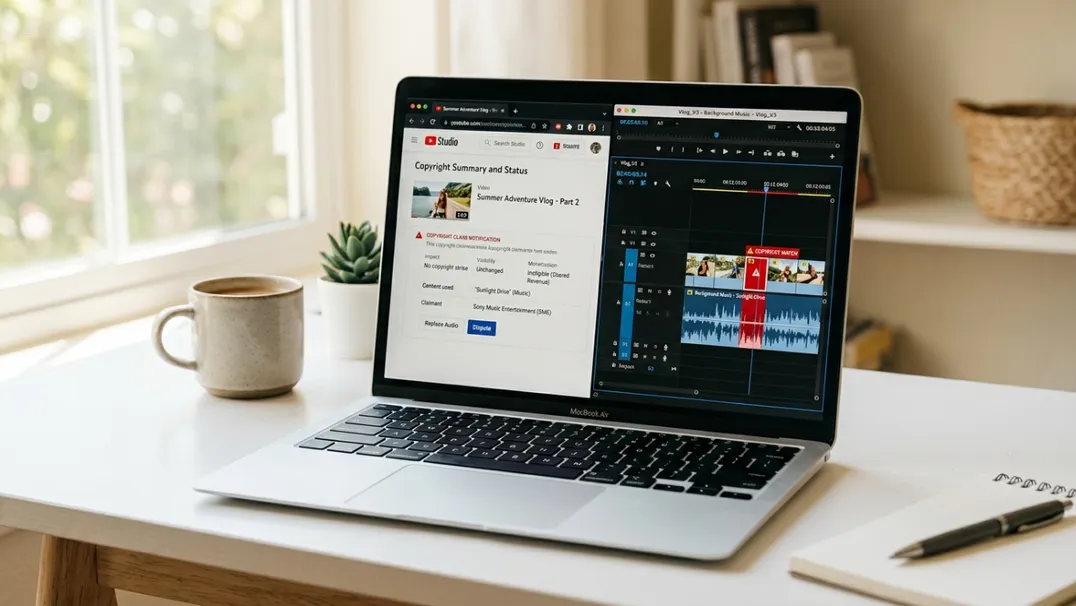
How To Avoid YouTube Copyright Claim In 2026
Nothing kills momentum on a growing YouTube channel faster than a copyright claim. You wake up, check your dashboard, and see a yellow dollar sign next to your best-performing video. The revenue you were counting on is gone, rerouted to a record label or stock footage company you never heard of. In some cases, the claim blocks the video entirely in certain countries.
Copyright claims in 2026 are more aggressive, more automated, and more consequential than ever. YouTube's Content ID system scans every uploaded frame and audio sample against a database of millions of copyrighted works. A three-second clip of background music playing in a cafe can trigger a claim. A stock video you thought was royalty-free can turn out to have a disputed license. A meme format you used because everyone else uses it can suddenly be flagged by the original creator.
The good news: copyright claims are almost entirely avoidable if you understand how Content ID works, where the common traps are, and how to build a content pipeline that treats copyright compliance as a production rule, not an afterthought.
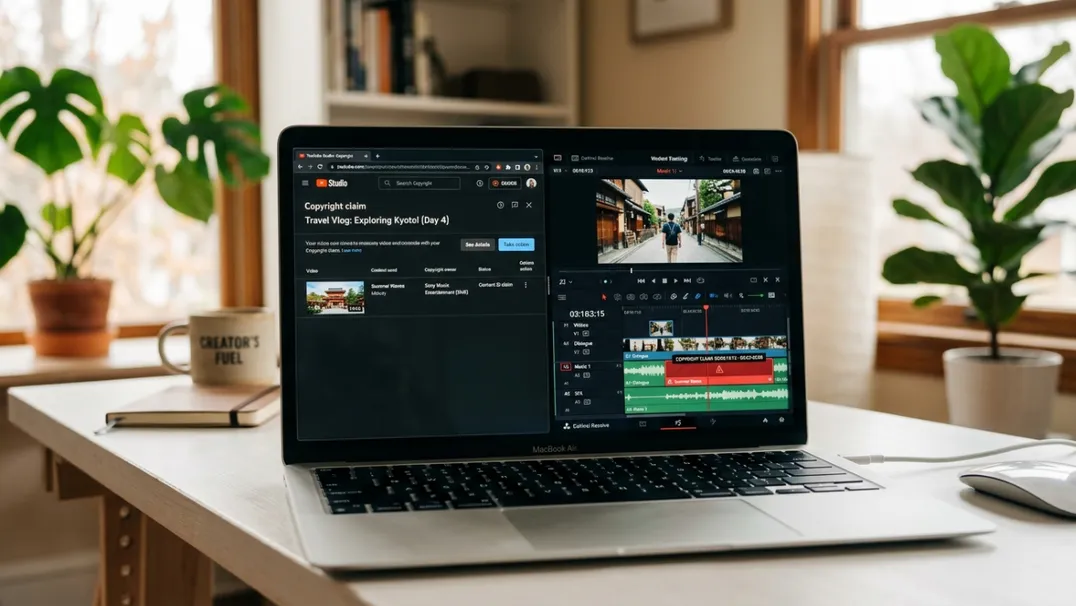
Understanding YouTube Content ID in 2026
Content ID is YouTube's automated copyright management system. When you upload a video, it is scanned against a reference database of audio and visual fingerprints submitted by copyright owners. If a match is found, the copyright holder can choose to:
- Monetize the video: the revenue goes to them, not you
- Block the video: it becomes unavailable in certain countries or worldwide
- Track the video: they monitor analytics but take no revenue action
Most claims default to monetization. The copyright holder collects 100% of AdSense revenue from the claimed video. If your channel is built around monetization (especially faceless or automated channels where margins are thin) a single claim on a high-performing video can erase your monthly revenue from that asset entirely.
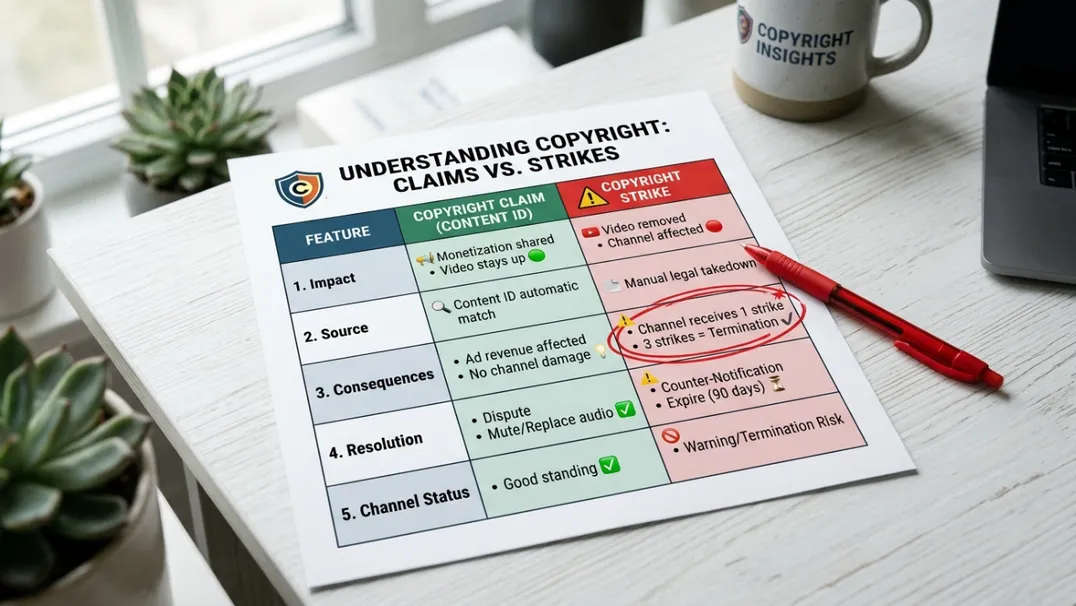
It is important to distinguish between a copyright claim and a copyright strike. A claim is a revenue or visibility action managed through Content ID. A strike is a legal takedown request that counts against your channel's standing. Three strikes in 90 days result in channel termination. Claims are far more common, but strikes are far more dangerous.
The Six Most Common Sources of Copyright Claims
If you understand where claims come from, you can build workflows that avoid them at the source. These six categories account for over 90% of all claims on automated and faceless YouTube channels.
1. Background Music and Audio Tracks
This is the number one source of claims. A song playing in the background of a clip you filmed, a stock music track you downloaded from a free site that later had its licensing disputed, or a remix you assumed was safe because it was "transformative." None of these assumptions protect you from Content ID.
The safest approach is to use only music from YouTube's Audio Library, Epidemic Sound, Artlist, or other licensed platforms with explicit commercial YouTube rights. Even then, download and keep your license certificate. If a claim arises, you have documentation to dispute it.
2. Stock Video and Image Assets
Many creators use stock footage from sites like Pexels, Pixabay, or free tiers of premium platforms. The problem is that some contributors upload content they do not actually own, or content that was originally licensed under one agreement and later transferred to Content ID by a new rights holder.
The fix: use only stock from platforms that offer indemnification or dispute support. Paid subscriptions to Storyblocks, Envato Elements, or Artgrid include legal backing if a claim arises from their content. Free platforms do not.
3. News Clips and Fair Use Misunderstandings
Fair use is a legal doctrine, not a Content ID shield. You can be 100% legally in the right and still receive an automated claim. Content ID does not evaluate fair use. It matches fingerprints. Disputing a claim on fair use grounds requires human review, which can take weeks, and the copyright holder can escalate to a strike.
For faceless and automation channels, the safest rule is: do not use third-party news clips unless you have explicit written permission. Commentary channels with legal backing sometimes take this risk. You probably should not.
4. Memes, Reaction Formats, and Viral Content
Memes are not copyright-free. The original creator of a meme format, a viral clip, or a reaction video owns the rights to the original footage. Just because something spreads widely on social media does not mean it is safe for monetized YouTube use.
If your niche relies on trending content, build your own original visual formats instead of recycling existing ones. This takes more effort but eliminates the claim risk entirely.
5. Gameplay Footage with Licensed Soundtracks
Many video games include licensed music in their soundtracks. When you upload gameplay footage, the background music is scanned by Content ID and flagged. This is especially common in sports games, racing games, and open-world titles with radio stations.
If you run a gaming or game-review channel, disable in-game music before recording. Use royalty-free replacement tracks in post-production. It adds an editing step but protects your revenue.
6. Sound Effects and Sample Libraries
Even short audio samples can trigger Content ID. A one-second clip of a famous movie quote, a recognizable sound effect, or a sampled drum hit from a well-known song can be enough. Automated channels that rely heavily on layered sound design are especially vulnerable.
Use original sound design or verified royalty-free effect libraries. If you download a "free sound effects pack" from a random website, assume it will eventually trigger a claim.
How to Build a Copyright-Safe Content Pipeline
Avoiding claims is not about being careful during editing. It is about building systems that make compliance automatic.
Step 1: Standardize Your Asset Sources
Create a single spreadsheet or document that lists every source you use for music, stock footage, sound effects, and fonts. For each source, note the license type, commercial use status, YouTube-specific rights, and the date you subscribed or downloaded. When you hire editors or virtual assistants, they work only from this approved list.
This prevents the most common mistake in automation channels: an outsourced editor downloads a "free" track from a random site, uses it in twenty videos, and three months later every video gets claimed simultaneously.
Step 2: Document Every License
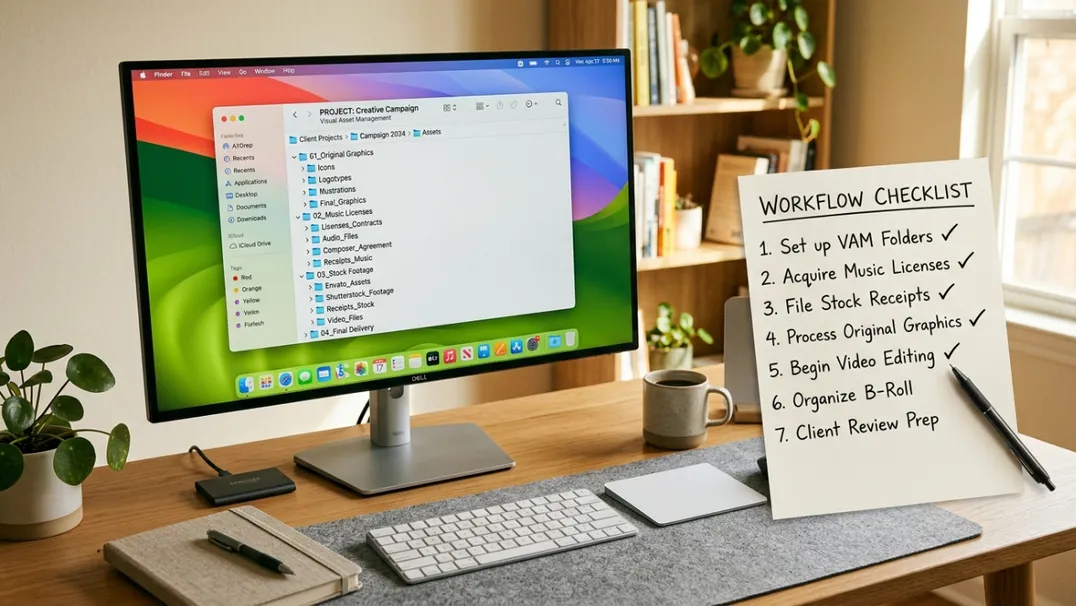
For every paid asset, keep the receipt and license certificate in a dedicated folder. For every free asset from a verified platform, screenshot the license terms at the time of download. Platforms occasionally change their terms, and your archived screenshot proves what the terms were when you used the asset.
Step 3: Audit Before Upload
Before any video goes live, run it through a copyright pre-check. YouTube Studio does not offer this officially, but you can upload the video as unlisted, wait 30 minutes for Content ID scanning, and check for claims before making it public. If a claim appears, fix the asset and re-upload.
This step adds time to your workflow but saves exponentially more time than dealing with claims after a video has already started earning.
Step 4: Build Original Visual Identity
The channels with the lowest claim rates are those that rely almost entirely on original visuals: screen recordings, animated graphics, self-filmed footage, and custom-designed elements. Every piece of third-party content you add is a potential claim vector. The less you depend on outside assets, the safer you are.
For faceless and automation channels, this means investing in original templates, custom motion graphics, and a recognizable visual style that does not require stock footage to function.
What To Do If You Get a Claim
Despite your best efforts, claims can still happen. When they do, act methodically.
Step 1: Verify the claim is valid. Check whether the claimed content is actually in your video. Sometimes Content ID generates false matches. If the match is clearly wrong, you have grounds for dispute.
Step 2: Check your asset documentation. If you have a valid license for the claimed content, file a dispute immediately with the license attached. Most legitimate claims are resolved within 48-72 hours when proper documentation is provided.
Step 3: Replace the asset if the claim is valid. If you used unlicensed content, the claim is legitimate. Do not dispute it. Instead, edit the video to remove or replace the claimed segment, then re-upload. For older videos, consider privatizing rather than leaving a claimed video live and earning zero revenue.
Step 4: Track claim patterns. If the same source triggers multiple claims, remove that source from your approved list permanently. One claim is a mistake. Three claims from the same source is a pattern that will eventually cost you monetization eligibility.
The Monetization Risk Beyond Revenue Loss
Copyright claims hurt more than just the claimed video. Channels with a high claim rate face broader consequences:
- Limited or no ads: Videos with active claims often receive limited ad inventory even if you dispute successfully
- YPP review delays: Channels applying for the Partner Program with recent claims are reviewed more strictly
- Algorithmic distrust: YouTube's systems track claim frequency as a channel health signal. High claim rates correlate with reduced distribution
- Strike accumulation: Disputed claims that escalate can become strikes. Three strikes in 90 days and your channel is terminated
The safest long-term strategy is zero-tolerance prevention, not reactive management.
FAQ
Can I use Creative Commons content without risk?
Creative Commons licenses vary. CC BY requires attribution. CC BY-NC prohibits commercial use, which includes monetized YouTube. CC0 is public domain and generally safe, but verify the uploader actually had the right to release it as CC0.
Does giving credit in the description prevent claims?
No. Attribution does not override copyright. Content ID does not read descriptions. It matches fingerprints.
Can I dispute every claim?
You can, but frivolous disputes damage your channel's standing. Only dispute when you have a valid license or the match is factually wrong.
Do claims affect my ability to join the Partner Program?
Active claims on your monetized videos can delay or complicate YPP approval. YouTube reviews claim history during the application process.
What is the best royalty-free music source for automation channels?
YouTube Audio Library, Epidemic Sound, Artlist, and Envato Elements are all reliable. The key is maintaining documentation and using only one or two trusted sources rather than collecting random tracks from across the internet.
Protect your channel's revenue and growth potential with TubeHunt. Use the platform to analyze which faceless and automation niches currently operate with the lowest claim rates and highest original-content tolerance, then build your strategy on safe foundations.
TubeHunt.io: The AI-powered platform for YouTube Automation.
Related: More guides on our blog · Become an affiliate · Compare TubeBuddy · Compare VidIQ